
Create or import a member
Basic details and the current membership status go into a single member profile.
InoGym brings member profiles, membership statuses, plans, payments and visit history together so reception and management work with the same data.
14 days free · no card required
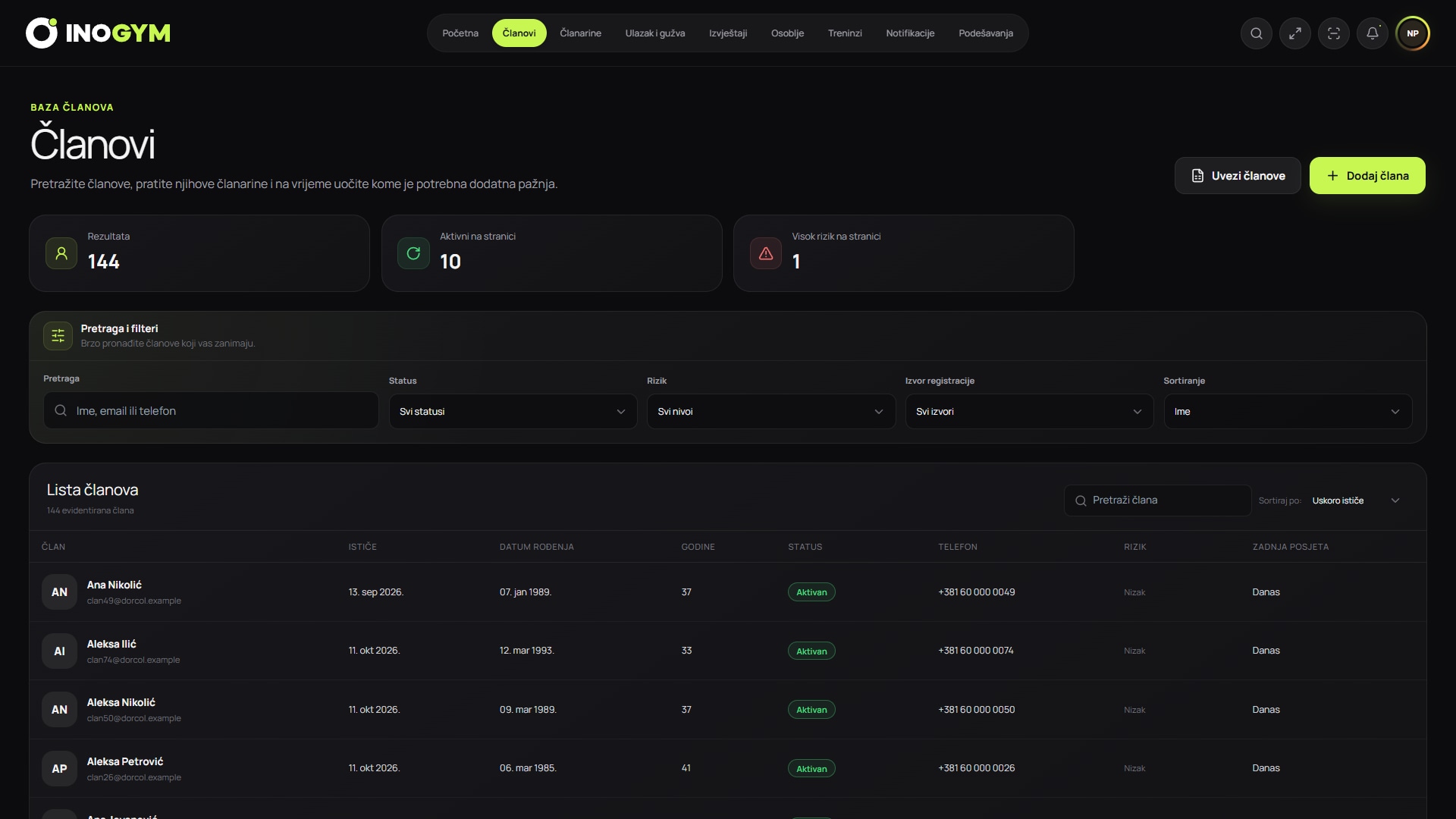
Screenshots show the Serbian version of the app.
Every step is part of the same InoGym system, without duplicate entry or disconnected records.
Basic details and the current membership status go into a single member profile.
The validity period, price and payment method stay linked to the specific membership.
Your team sees the current status, payment history and recent visits without searching multiple records.
InoGym connects the tasks of receptionists, managers and owners with the member experience.
Reception staff, managers and the owner use the same up-to-date information according to their permissions.
Membership status and payment history are available on the member profile, without separate spreadsheets and notes.
View and track active, expired and soon-to-expire memberships in the system.
Information does not depend on one person or shift, so the team can give members consistent answers.
The member list shows the plan, membership status and latest visit in a format designed for everyday reception work.
Monthly, annual, group and trial memberships, with clear prices and validity periods.
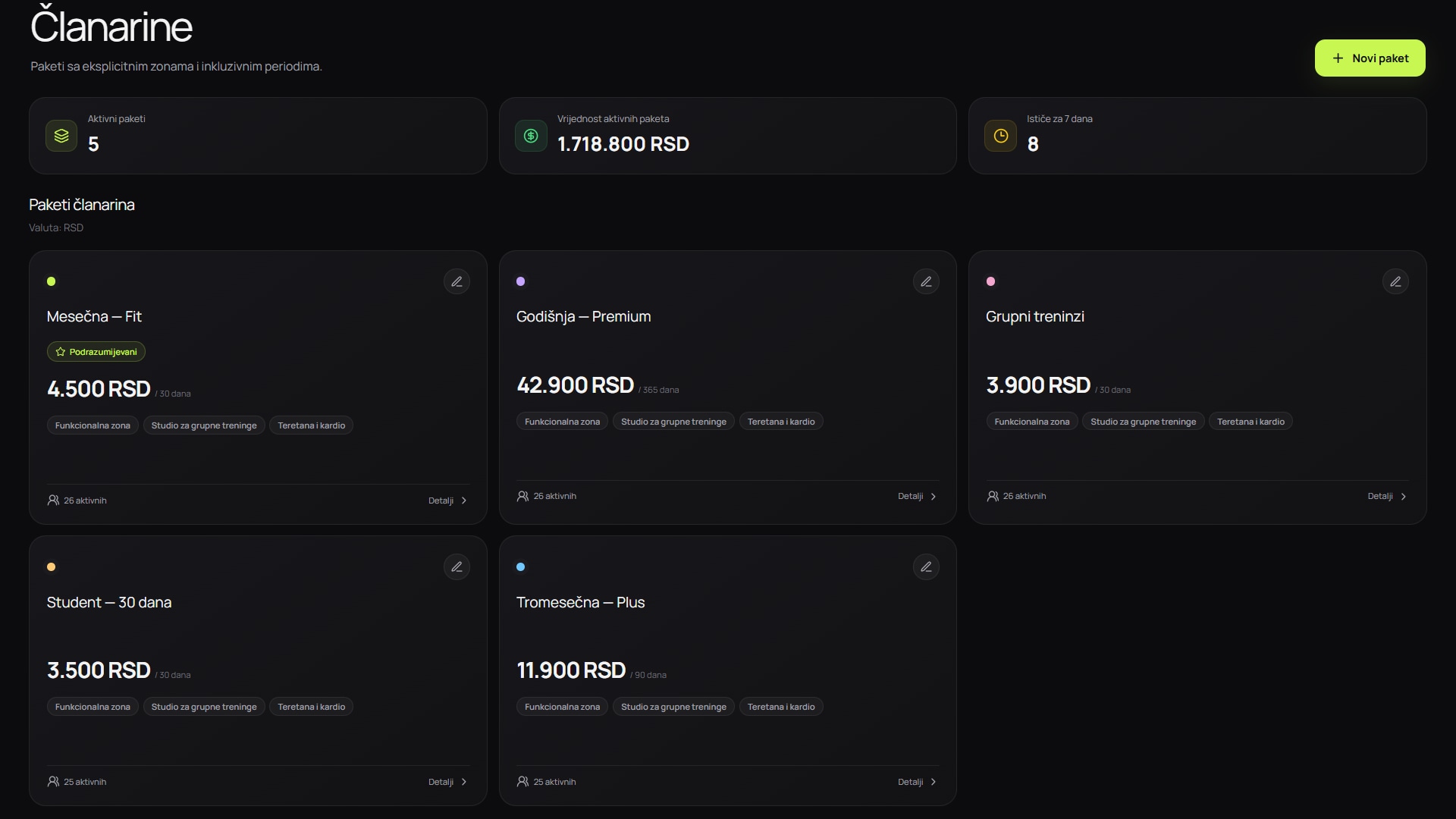
Screenshots show the Serbian version of the app.
What you need to know before getting started with InoGym.
A profile can bring together contact details, plan, membership validity, payments, visits and operational notes your team needs.
Yes. Import members from Excel yourself or with our team's help, free on every plan and during the trial. Prepare each member's full name, email and date of birth; to add a membership, specify an active InoGym plan and a start date.
Access is assigned by staff role, so sensitive changes can be restricted to authorised people.
Yes. Your gym can organise multiple plans and validity periods to match its offering and operating rules.
That is fine. Reception creates an InoGym account for them and records their entry manually in the dashboard when they arrive. Their payments, visits and package usage are still recorded, and their visits count towards the occupancy estimate.
Not currently. Keep using your existing fiscal or invoicing system. InoGym runs alongside it to record memberships, payments and visits; it does not replace local fiscal processes.
Online membership payments are in development and are not yet available. For now, record cash or bank payments in InoGym and activate the membership. Payment records are separate from processing a card payment.
Connect this feature to specific processes, measurements and decisions in everyday gym operations.
Excel can be enough at first, but a dedicated system becomes more useful when several people manage memberships, payments and visits.
Read the guide 9 min readReducing churn takes ongoing attention to visits, reasons for leaving and timely contact that actually helps members.
Read the guide 9 min readData protection starts with a clear purpose for each field and role-based access, followed by auditing, retention periods and tested procedures.
Read the guideSee how InoGym connects your team’s daily work with the member experience.