TWO PRODUCTS. ONE EXPERIENCE.

InoGym gym management demo

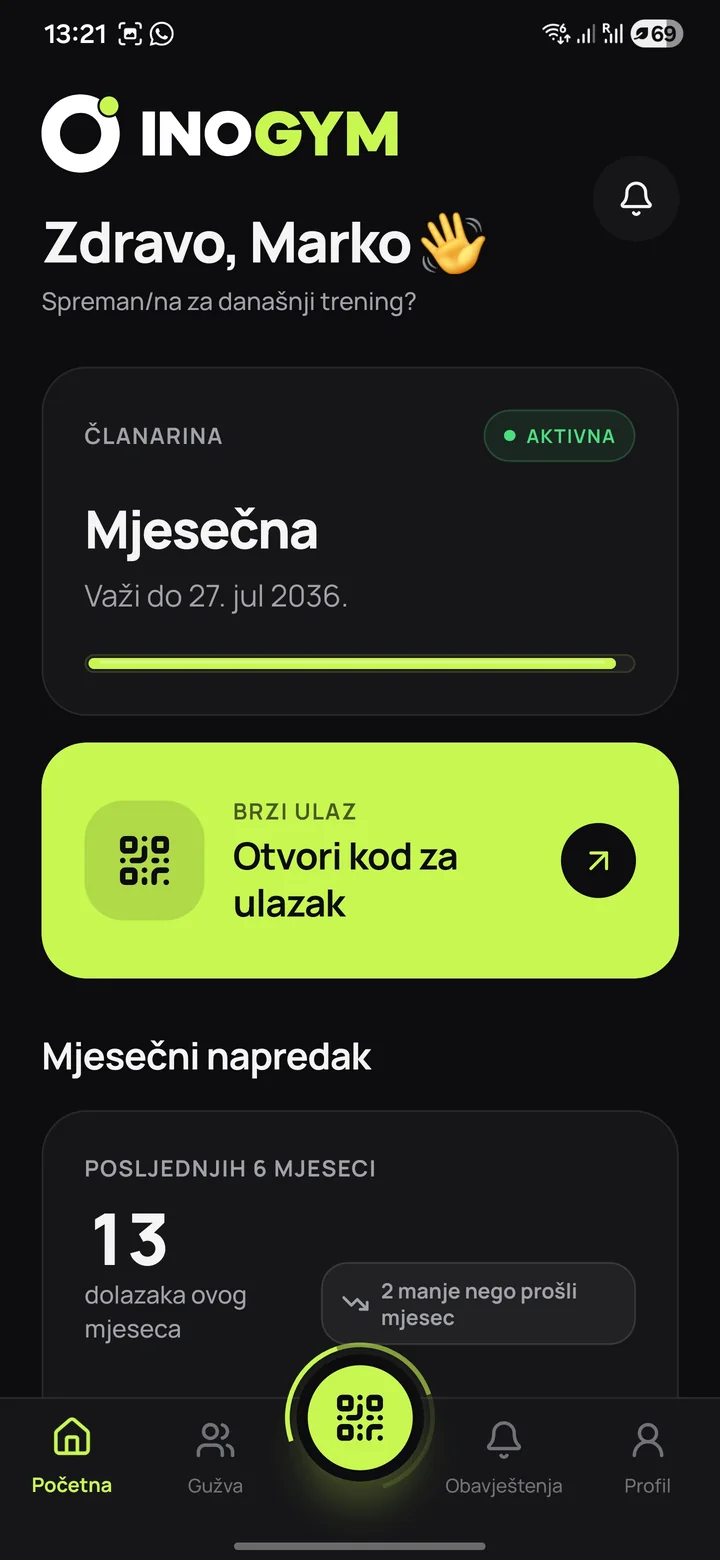
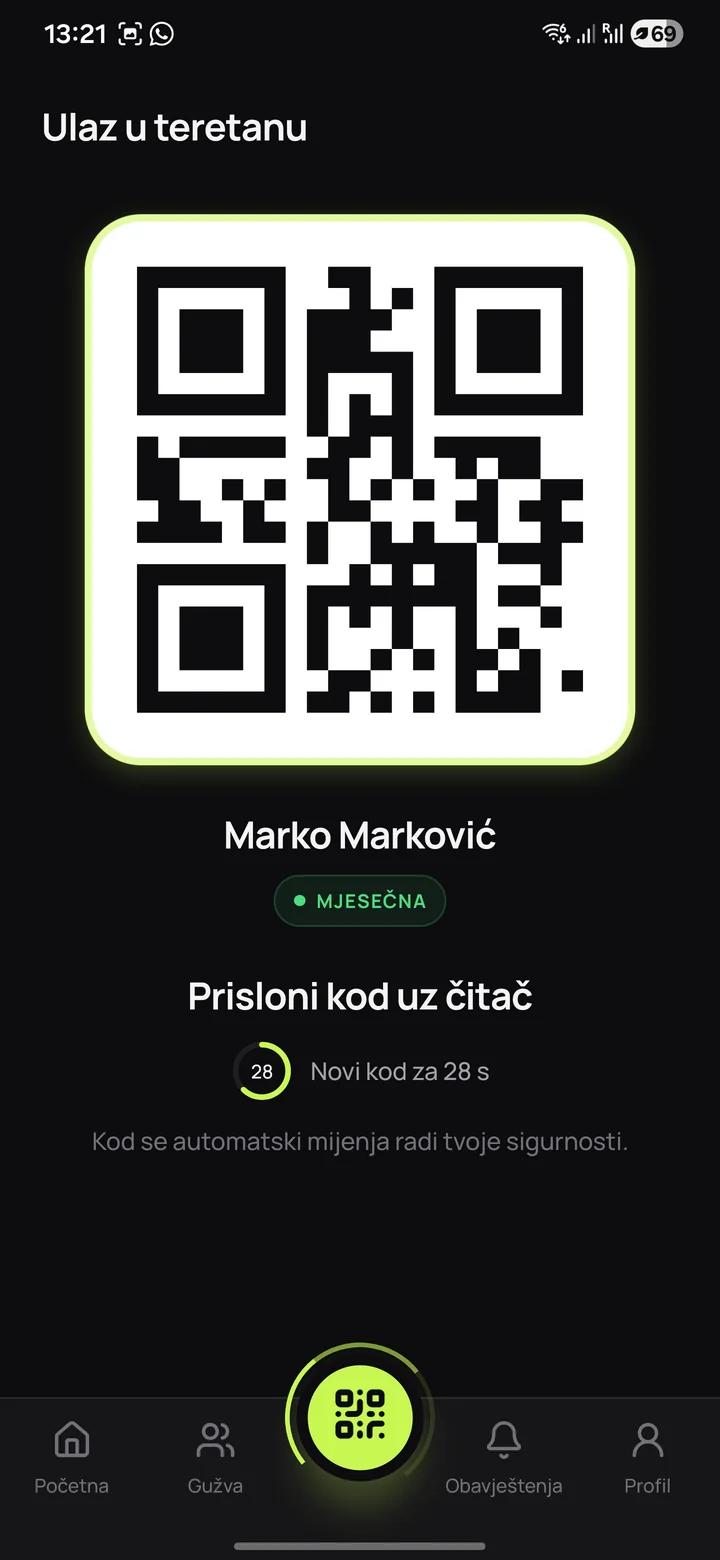
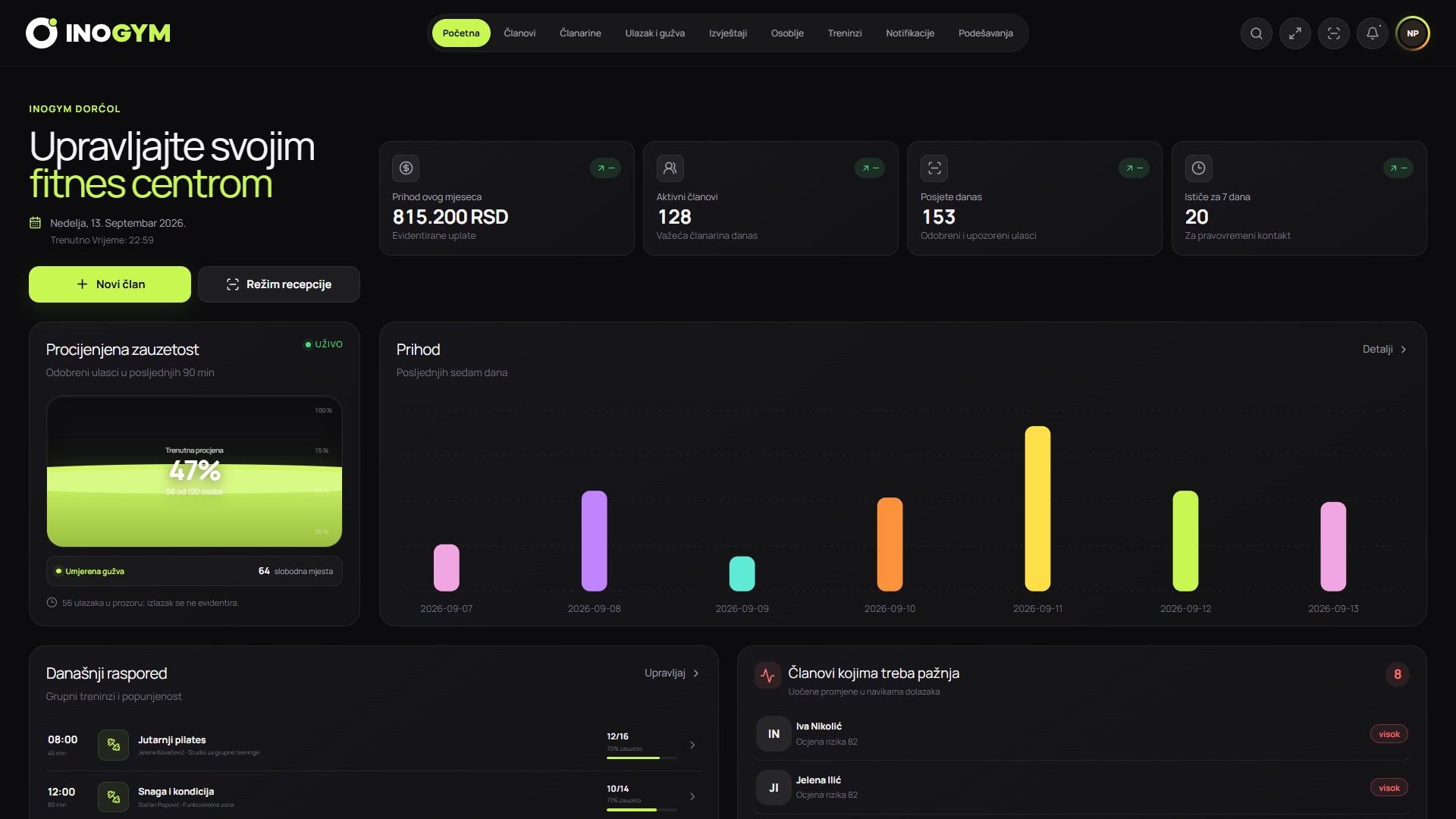
The demo shows the owner web dashboard and the member app for QR entry, membership status and occupancy estimates.

14 days free · no card required

InoGym overview of revenue, active members and estimated occupancy
INOGYM IN PRACTICE

Explore every part of the system.

Explore a working day in InoGym. From a member's first visit to business insights, everything is connected.

FOR OWNERS AND STAFF

A web dashboard for everyday management.

Connect members, payment records, attendance, occupancy and reports for reception staff and management in one view.

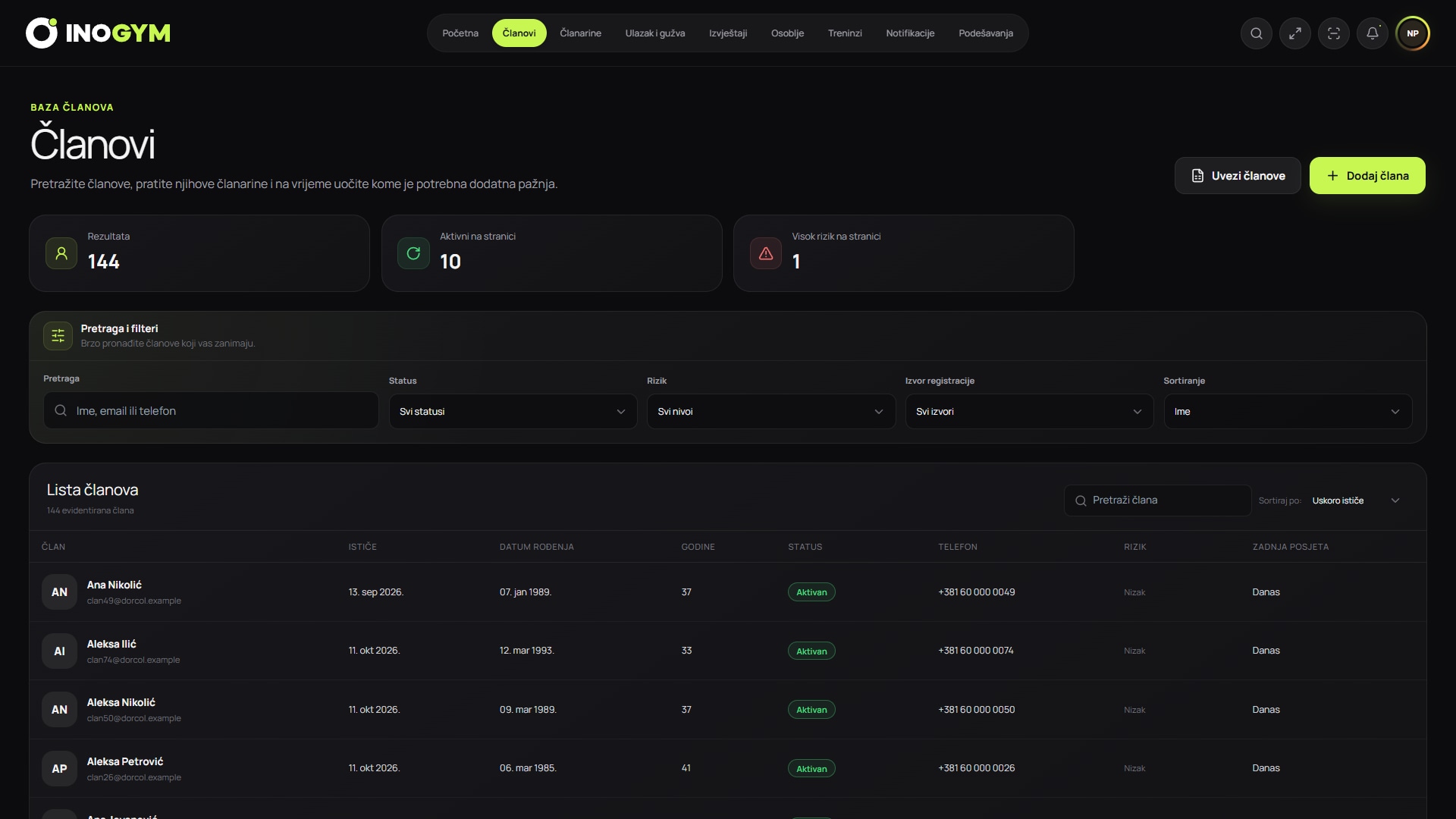
  • Members and memberships overview
  • Occupancy and attendance records
  • Revenue, trends and operational signals
Request access to the demo dashboard
InoGym member list with search, membership status and last visit
FOR MEMBERS

A mobile app with your gym’s branding.

Members can easily access their QR code, membership status, occupancy estimate and centre information.

  • QR code for controlled entry
  • Membership status on your phone
  • Check occupancy before visiting
See the app live
Home screen of the InoGym member app
Gym entry QR code in the InoGym mobile app
WHAT THE DEMO INVOLVES

From your workflow to a practical demonstration.

We connect the demo to processes your team actually uses, so you can assess where InoGym would be most useful.

01

Understand your workflow

We start with your member numbers, record-keeping, entry control and team structure to understand daily operations.

02

Show the relevant processes

We walk through the owner dashboard, member app and features that address your centre’s questions and priorities.

03

Agree on the next step

We answer outstanding questions and, if you wish, discuss the plan and setup options that fit your needs.

PREPARING FOR THE CONVERSATION

What should you prepare before the demo?

No special documents are needed. A few basic details help us focus on the processes that matter most to you.

  • Approximate active member count
  • Number of staff and locations
  • Your current entry control process
  • The processes that take up most of your team’s time
BOOK A GUIDED DEMO

Let’s explore the system using your gym as an example.

Send a few details and we will prepare a demonstration relevant to your memberships, entry process and team. The conversation is in Serbian or English.

  • Owner dashboard and member app
  • Answers to your team’s specific questions
  • No obligation or sales pressure
01 / DEMO ENQUIRY

Tell us about your centre.

By submitting this form, you agree that we may contact you about an InoGym demo. Privacy

Prefer to send a message? WhatsApp

CLEAR ANSWERS

Frequently asked questions about the InoGym demo

What you need to know before getting started with InoGym.

01

What will I see during the demo?

We show the owner dashboard and member app, including members, memberships, QR entry, occupancy and reports relevant to your centre.

02

Is the demo tailored to the way our gym works?

Yes. We use your enquiry and conversation to focus on the processes, roles and features your team wants to assess.

03

Who should attend from our team?

The owner, manager, reception staff or person responsible for memberships and entry can attend. It is most useful to include the people who will use the system daily.

04

What happens after the demonstration?

You get answers to outstanding questions and help choosing a plan. If you want to continue, we agree on the next steps for getting started.

IT’S TIME FOR SIMPLER GYM MANAGEMENT

Want a demo tailored to your gym?

We will explore your current processes and demonstrate the relevant parts of the system without sales pressure.

Over 3,000 QR entries recorded at gyms using InoGym.

Book a demo Try for free