
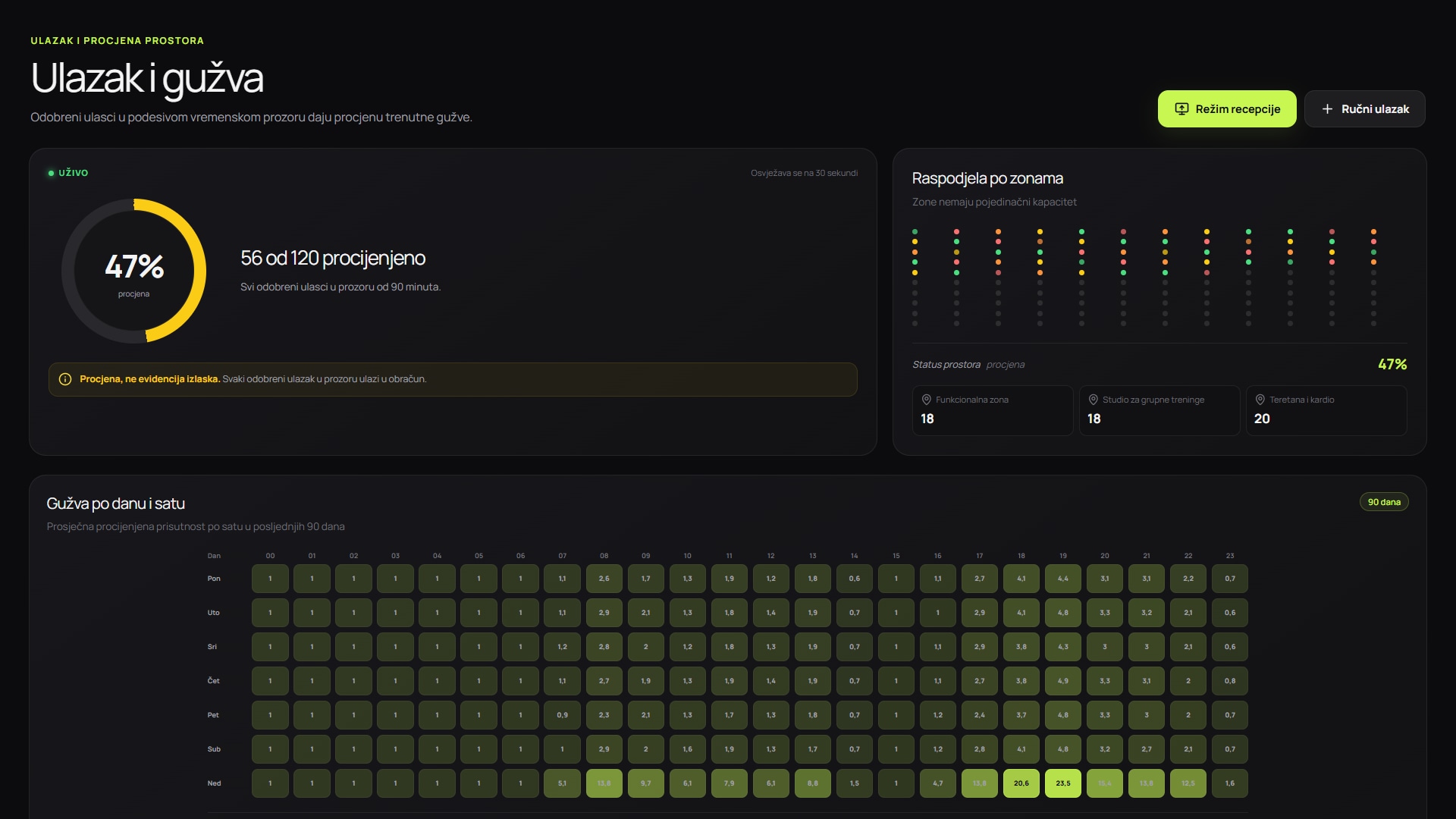
Screenshots show the Serbian version of the app.
Which data to collect
Start with the time of approved entry, location or zone and a stable event identifier. Aggregate pattern reports do not need to expose member identities.
If exits are not recorded, the system does not know the exact number present. Show an estimate based on entries within a preceding time window rather than claiming an exact count.
- record approved and declined entries separately
- exclude test and staff accounts from member statistics
- remove duplicate events according to a clear rule
- keep time zones and opening hours consistent
A simple occupancy-level model
Three or four levels are enough to start. Set thresholds against the centre's usable capacity, then validate them through observation and reception feedback.
| Level | Example threshold | Message to members |
|---|---|---|
| Quiet | up to 35% of operational capacity | Most areas are available |
| Moderate | 36-65% | Short waits may occur |
| Busy | 66-85% | Popular equipment may be occupied |
| Occupancy | above 85% | Consider another time if you are flexible |
Current estimates and expected occupancy are different
Current estimates use the latest events. Expected occupancy compares the same day and time across previous weeks. Label both views so members understand that a historical pattern is not a promise.
Holidays, seasons, weather and special classes can change the pattern. Forecasts should include a brief explanation and the last refresh time.
Turning data into decisions
Peak periods can reveal where to adjust group class schedules, add reception cover, rearrange equipment or suggest quieter times to members.
Measure before and after a change: average entries, duration of busy levels and distribution of visits throughout the day. Avoid changing several things at once if you want to understand the effect.
- staff shift scheduling
- group class times
- maintenance and cleaning outside peak times
- communicating alternative time slots
Privacy and data quality
Use aggregate levels for public occupancy displays. Restrict access to raw events by role and align retention with the actual business purpose.
Regularly check scanners, duplicate events and manual entries. Incorrect source data can produce a tidy chart that leads to wrong decisions.