
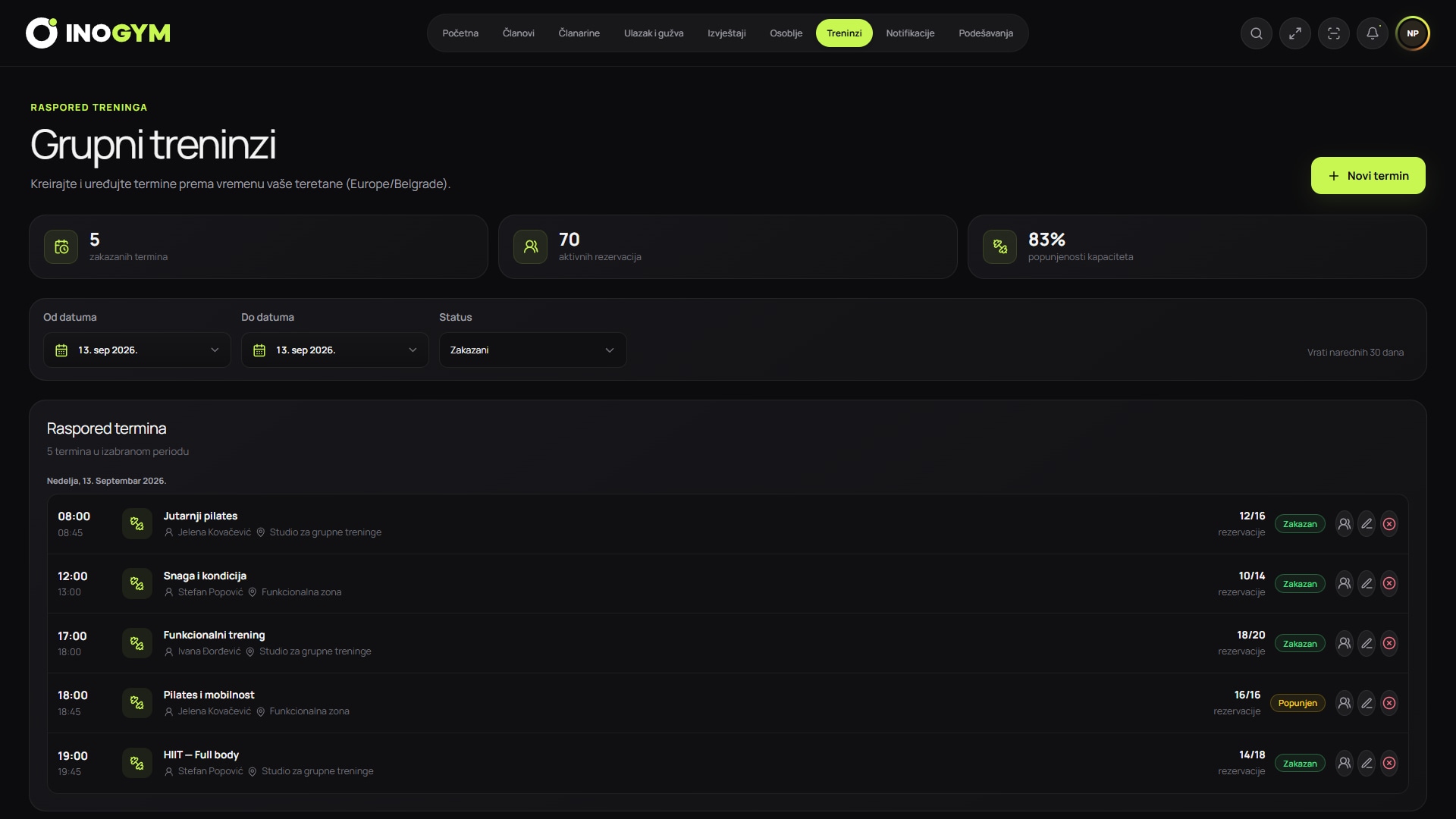
Screenshots show the Serbian version of the app.
Define the planning unit
A session needs more than a class name: date, start, duration, trainer, room, capacity and status. If one name covers different rooms or levels, add a clear label so reception and members do not have to guess.
Reserve preparation and changeover time when the equipment or room requires it. Classes that do not overlap on paper can still clash if one group leaves as the next arrives.
Set capacity before opening bookings
Desired attendance is not the same as safe capacity. Consider floor space, exercise type, equipment layout, exits, supervision, ventilation and local facility obligations. The responsible person and relevant specialists confirm the limit.
Software stores the approved number but cannot independently assess a room's physical safety. Changes to class format or equipment require another review before increasing places.
| Signal | Calculation | Meaning | Decision |
|---|---|---|---|
| Booking occupancy | bookings / capacity | Demand before the class | Consider an extra session only after a recurring pattern |
| Attendance rate | attendees / bookings | How many bookings are fulfilled | Adjust reminders or cancellation rules |
| Utilisation | attendees / capacity | Actual use of places | Compare sessions and periods |
| Waiting list | members who did not get a place | Unmet demand | Offer an alternative or another session |
One schedule for members, reception and trainers
The central schedule is the source of accurate information. Enter trainer, room or time changes once and inform affected members through an approved channel. A private message to a trainer must not be the only change record.
Restrict editing permissions. A trainer can report a need or record their workflow, while the schedule owner approves changes affecting members and capacity.
Booking, cancellation and waiting lists
Before booking, members should see the time, location, basic description, availability and cancellation rule. A cancellation releases a place only if it is reliably recorded. A no-show without cancellation remains a separate metric.
A waiting list needs an order, a deadline for accepting a released place and a notification. Automatically moving a member without confirmation may create another no-show. Match the workflow to your centre's habits and the system's supported capabilities.
Class-day operations
Before the class, the trainer or reception checks the room, equipment, changes and attendee list. Record attendance consistently, not later from memory. Members without reservations enter only under clear rules and within actual available capacity.
Record incidents, interrupted classes or room changes sufficiently for the team to understand their impact, without unnecessary health details in general notes. Facility emergency procedures take priority over the app schedule.
Reading data without drawing the wrong conclusion
Compare the same class type, day and period. Holidays, air-conditioning failures or substitute trainers may explain exceptions. Four to eight comparable sessions give a better signal than one record, but correlation still does not prove causation.
Before adding a session, check persistent waiting lists and attendance. Before removing one, check whether timing, communication, the trainer or seasonality is the issue. Document the change and observe a predefined metric.
Monthly schedule review
For each class format, review capacity, bookings, attendance, cancellations and waiting lists. Flag recurring deviations and talk to trainers and reception before deciding.
Announce changes early enough, update the central schedule and message only affected members. Preserve the old period for comparison; do not overwrite history when capacity or timing changes.